CapCut vs Adobe Premiere Pro: Which Video Editor Is Better in 2026?
I have spent a good chunk of the last two years jumping between both of these editors in the capcut vs adobe premiere pro comparison sometimes on the same project. CapCut for a quick Instagram Reel, Adobe Premiere Pro for a full YouTube video with color grading and custom audio mixing. So when people ask me “which one should I use?”, my honest answer is: it depends on what you are actually trying to make.
This guide breaks it all down features, pricing, learning curve, and real-world use so you can stop guessing and start editing.
Quick Comparison Between CapCut and Adobe Premiere Pro
Before we go deep, here is a fast overview so you can see where both tools stand.
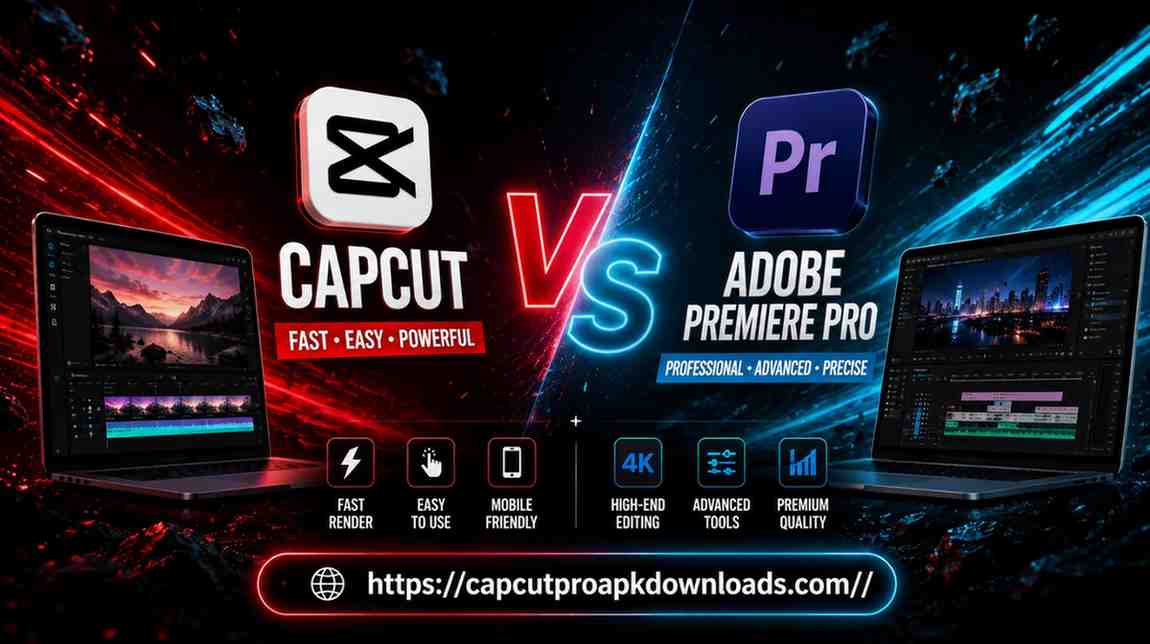
Key Differences at a Glance
| Feature | CapCut | Adobe Premiere Pro |
| Price | Free / $7.99 per month (Pro) | $22.99 per month |
| Best For | Beginners, social media creators | Professional editors, filmmakers |
| Platform | Windows, Mac, iOS, Android, Web | Windows, Mac only |
| Learning Curve | Very easy | Steep |
| AI Tools | Strong AI features (auto captions, templates) | Generative Extend, AI Object Mask (2026 update) |
| Export Quality | Up to 4K | Up to 8K+ |
| Timeline | Multi-track (desktop) | Multi-track, advanced |
| Offline Use | Yes (desktop) | Yes |
Which Editor Is Best for Different Users?
- Students and beginners → CapCut, no question
- TikTok / Instagram / Reels creators → CapCut wins
- YouTube creators (long-form content) → Premiere Pro
- Freelance video editors → Premiere Pro
- Wedding and event videographers → Premiere Pro
- Budget-conscious creators in India / Pakistan / Bangladesh → CapCut (free tier is excellent)
What Is CapCut?
CapCut is a free video editing app made by ByteDance, the same company that runs TikTok. It launched as a mobile-first editor, but honestly, the desktop version has grown into something quite impressive over the past year.
I first used CapCut Pro APK Dwonload back when I needed to edit a short travel video for Instagram. I thought it would be basic trim here, add a filter there. But I was genuinely surprised by how smooth the whole experience was. Auto captions worked on the first try, the templates actually looked good, and I went from raw footage to a posted Reel in under 30 minutes.
Key Features of CapCut
- Auto Captions: Generates subtitles automatically with decent accuracy, even for Hindi and Urdu audio
- AI Templates: Trending templates that sync edits to music beats automatically
- Multi-Track Timeline (Desktop): Not just a mobile toy anymore
- Motion Tracking: Attach text or stickers to moving objects
- Background Removal: One click, works reasonably well
- Text-to-Speech: Useful for faceless video creators
- Speed Curves: Smooth slow-motion effects popular on Reels and TikTok
- Cross-Platform Sync: Start on mobile, finish on desktop
Pros and Cons of CapCut
Pros:
- Completely free for most features
- Extremely easy to learn even first-timers can make something decent in an hour
- Mobile editing is genuinely powerful
- Strong AI tools built in
- Regular updates keep adding new features
- Works well for South Asian content creators (Hindi/Urdu caption support)
Cons:
- Free version adds a watermark on some exports
- Not ideal for long-form, complex projects
- Less control over color grading compared to professional tools
- Data privacy concerns (ByteDance/TikTok connection) worth knowing about
What Is Adobe Premiere Pro?
Adobe Premiere Pro is the industry-standard video editing software that has been used to edit Hollywood films, TV shows, YouTube channels with millions of subscribers, and everything in between. It is part of Adobe Creative Cloud and has been around since 1991.
My first time opening Premiere Pro, I genuinely felt lost. The interface has panels everywhere source monitor, program monitor, timeline, effects panel, audio mixer. It took me a few days of YouTube tutorials before I stopped accidentally hitting the wrong keyboard shortcut. But once things clicked? I never wanted to go back to anything simpler.
The January 2026 update (Premiere Pro 26.0) added Generative Extend, which lets you fill gaps in clips using AI, a single-brush AI Object Mask, and major upgrades to the Lumetri Color panel. These are not gimmicks they actually save real time on professional projects.
Key Features of Adobe Premiere Pro
- Multi-Track Timeline: Handle dozens of video and audio tracks simultaneously
- Lumetri Color: Professional-grade color grading with curves, LUTs, and scopes
- Multi-Camera Editing: Sync and cut between multiple camera angles effortlessly
- Audio Mixer: Full audio mixing with EQ, compression, and effects
- Adobe Integration: Works directly with After Effects, Photoshop, Audition, and Frame.io
- Generative Extend (2026): AI fills gaps in footage seamlessly
- Nested Sequences: Organize complex timelines cleanly
- 4K to 8K Export: Handles high-resolution footage without breaking a sweat
- Plugin Support: Extend functionality with third-party plugins
Pros and Cons of Premiere Pro
Pros:
- Industry standard clients and studios expect you to know it
- Unmatched control over every aspect of editing
- Seamless Adobe ecosystem integration
- Best color grading tools outside of DaVinci Resolve
- Handles large, complex projects with multiple tracks and effects
- Strong community, tutorials, and professional resources
Cons:
- $22.99 per month is expensive, especially for creators in South Asia
- Steep learning curve takes weeks to feel comfortable
- Requires a powerful computer (minimum 16GB RAM recommended for 4K)
- No mobile version
- Can feel overwhelming for simple social media edits
CapCut vs Adobe Premiere Pro: Head-to-Head Comparison
User Interface and Ease of Use
CapCut’s interface in the CapCut vs Adobe Premiere Pro comparison feels like someone actually thought about first-time users. Everything is within two clicks. The mobile version especially makes editing feel almost playful.
Premiere Pro’s interface is built for professionals who want maximum control. It has more panels, more options, and more ways to customize your workspace. That complexity is a feature, not a bug once you know where everything is. For beginners though, it can feel overwhelming.
Winner: CapCut for ease of use. Premiere Pro for power and control.
Editing Tools and Timeline Features
CapCut’s desktop timeline now supports multiple tracks, magnetic snapping, split, trim, and ripple delete. For most social media content, that covers everything you need.
Premiere Pro goes much further ripple edits, rolling edits, nested sequences, multi-cam sync, and precise frame-by-frame trimming. If you are cutting a 20-minute documentary or a wedding highlight film with 5 camera angles, Premiere Pro handles it in a way CapCut simply cannot.
Winner: Premiere Pro for complex projects. CapCut for quick, simple edits.
AI Features and Automation Tools
This is where things have gotten interesting in 2026. CapCut has been an AI-first product from the beginning auto captions, beat sync, background removal, and AI-generated B-roll suggestions. For creators who want fast output, these tools genuinely save hours.
Premiere Pro added serious AI features with its 2026 update: Generative Extend fills missing frames using AI, the AI Object Mask lets you isolate and track any subject with a single brush stroke, and Speech to Text has been in the product for a while now. These are tools built for professional workflows where quality matters more than speed.
Winner: Tie CapCut wins on speed and accessibility; Premiere Pro wins on output quality.
Effects, Filters, and Transitions
CapCut has a huge library of trendy effects, filters, and transitions most of them optimized for vertical, short-form content. They look great on TikTok and Reels. New effects get added constantly to stay on trend.
Premiere Pro has a more extensive but less “trendy” library. Its effects are built for professional work precise color grades, motion blur, lens distortion, and complex compositing. You can also install third-party plugins like FilmImpact or Video Copilot for even more options.
Winner: CapCut for trendy, social-ready effects. Premiere Pro for professional, customizable effects.
Templates and Ready-Made Assets
CapCut’s template library is one of its biggest strengths. You pick a trending template, replace the clips with your footage, and the app syncs everything to the beat automatically. This is genuinely useful for creators who post multiple times a week.
Premiere Pro has Motion Graphics Templates (.mogrt files) that you can get from Adobe Stock or third-party sites. They are more professional-looking but require more effort to customize.
Winner: CapCut for fast, social-media-ready templates.
Audio Editing Capabilities
CapCut handles basic audio well volume adjustment, fade in/out, basic noise reduction, and a decent music library. For social media videos, that is enough.
Premiere Pro’s audio editing is on a different level. The integrated Audition tools, multi-band EQ, compression, reverb, and the audio mixer panel give you studio-quality control over your sound. If audio quality matters and for YouTube, it really does Premiere Pro is the clear winner.
Winner: Premiere Pro not even close for serious audio work.
Export Quality and File Formats
CapCut exports up to 4K at 60fps, which is perfectly fine for social media. The free version adds a watermark, which you remove with the Pro subscription ($7.99/month). Format options are decent but not exhaustive.
Premiere Pro exports to virtually any format you can name H.264, H.265, ProRes, DNxHD, up to 8K resolution, with full control over bitrate, codec, and delivery specs. If a client asks for a broadcast-ready master file, Premiere Pro delivers.
Winner: Premiere Pro for professional export needs. CapCut for quick social uploads.
Platform Compatibility (Windows, Mac, Android, iOS)
This is a big one, especially for creators in India, Pakistan, and South Asia where mobile editing is huge. CapCut runs on Windows, Mac, iOS, Android, and even the web browser. You can start an edit on your phone on the bus and finish it on your laptop at home.
Premiere Pro is desktop-only Windows and Mac. No mobile app, no browser version.
Winner: CapCut cross-platform flexibility is a major advantage.
Integration With Other Adobe and Third-Party Tools
CapCut works with TikTok natively and has some integrations, but its ecosystem is limited compared to Adobe.
Premiere Pro integrates directly with After Effects for motion graphics, Photoshop for image editing, Audition for audio post-production, and Frame.io V4 for collaborative review. This ecosystem is incredibly powerful for professional workflows.
Winner: Premiere Pro the Adobe Creative Cloud ecosystem is unmatched.
Collaboration and Cloud Features
CapCut offers basic cloud storage and project sharing, useful for small teams.
Premiere Pro’s collaboration story in the CapCut vs Adobe Premiere Pro comparison got significantly better with the Frame.io V4 integration in the 2026 update. Real-time collaboration, client review links, version history, and team editing all work smoothly now.
Winner: Premiere Pro for professional team collaboration.
Learning Curve for Beginners and Professionals
A complete beginner can make a decent CapCut video on day one. The mobile app especially holds your hand through the process. Most teens in India and Pakistan who create content on TikTok or Instagram have never opened a tutorial they just figured it out.
Premiere Pro takes weeks of dedicated learning before you feel comfortable. Most working editors spend months before they develop a fast, efficient workflow.
Winner: CapCut by a wide margin for beginners.
Performance and Rendering Speed
CapCut is lighter on system resources and renders simple projects very quickly, especially on mobile.
Premiere Pro’s rendering speed depends heavily on your hardware. On a mid-range laptop with 8GB RAM, it can feel slow. On a proper editing machine with a dedicated GPU, it flies. The 2026 version added better hardware acceleration support, which helps.
Winner: Depends on hardware. CapCut wins on lower-end devices. Premiere Pro wins on professional hardware.
CapCut vs Adobe Premiere Pro Pricing
Free Version Comparison
CapCut’s free version is genuinely useful not a crippled demo. You get access to most editing tools, AI features, templates, and export up to 4K. The main limitation is the watermark on exports.
Premiere Pro has no free version. Adobe offers a 7-day free trial, after which you must subscribe.
Paid Plans and Subscription Costs
| Plan | Price |
| CapCut Free | ₹0 / $0 |
| CapCut Pro | ~₹660 / $7.99 per month |
| Adobe Premiere Pro | ~₹1,906 / $22.99 per month |
| Adobe Creative Cloud All Apps | ~₹4,230 / $54.99 per month |
Prices in INR are approximate and may vary by region.
Which Offers Better Value for Money?
For most creators in South Asia, CapCut Pro at $7.99 per month (or free with watermark) delivers enormous value. You get AI tools, templates, multi-track editing, and cross-platform access for almost nothing.
Premiere Pro at $22.99 per month is worth it if you are earning money from video editing professionally or need the advanced tools for client work. If you are a freelance video editor in India charging clients for wedding videos, corporate promos, or YouTube channel management, the subscription pays for itself quickly.
Who Should Choose CapCut?
Best for Beginners and Content Creators
If you are just starting out with video editing, CapCut removes every barrier to entry. No complicated setup, no expensive subscription, no confusing interface. You can download it on your phone right now and have an edited video ready to post within an hour.
Best for TikTok, Reels, and Short Videos
CapCut was essentially built alongside TikTok culture. The templates, effects, and beat-sync features are designed specifically for short-form vertical content. If your primary platform is Instagram Reels, TikTok, or YouTube Shorts, CapCut is the natural choice.
Who Should Choose Adobe Premiere Pro?
Best for Professional Video Editors
If you are editing professionally for clients, for film, for television, or for a YouTube channel with serious production values Premiere Pro is where you need to be. It is what the industry uses, and knowing it opens doors that CapCut simply cannot.
Best for YouTube, Commercial, and Cinematic Projects
Long-form YouTube videos, brand commercials, short films, wedding cinematography, event coverage all of these benefit from Premiere Pro’s precise control over color, audio, and complex timelines. When the quality of your output directly affects your income, Premiere Pro is worth every rupee of the subscription.
CapCut vs Adobe Premiere Pro | Main Advantages and Limitations
Reasons to Choose CapCut
- You are new to video editing
- You primarily create for TikTok, Reels, or YouTube Shorts
- You edit on your mobile phone regularly
- Budget is a concern
- You want fast results without a steep learning curve
- You are in India, Pakistan, or South Asia and want accessible mobile editing
Reasons to Choose Adobe Premiere Pro
- You edit professionally or plan to
- You need precise color grading and audio mixing
- You work with clients who expect industry-standard deliverables
- You already use other Adobe tools (Photoshop, After Effects, Audition)
- Your projects involve multiple cameras, complex timelines, or broadcast delivery
Which Video Editor Delivers Better Results?
For Beginners
CapCut wins without debate. It is approachable, fast, and actually fun to use. A beginner in Lahore or Mumbai can create genuinely impressive short videos within their first day.
For Social Media Creators
CapCut wins here too. The template library, AI beat sync, auto captions, and vertical-first interface are built exactly for this use case.
For Professional Filmmakers
Premiere Pro wins clearly. The depth of its tools, the quality of its output, and the industry recognition it carries make it the right choice for serious professional work.
Overall Winner
Neither and both. These are tools designed for completely different creators. Saying one “beats” the other is like comparing a good smartphone camera to a professional DSLR. The phone camera wins when you need speed and convenience. The DSLR wins when quality is everything.
Use CapCut if: you want to create, share, and grow quickly on social media.
Use Premiere Pro if: your video output is your professional product.
Alternatives to CapCut and Adobe Premiere Pro
DaVinci Resolve
DaVinci Resolve is the most serious free alternative to Premiere Pro. The free version includes professional-grade color grading tools that honestly exceed what Premiere Pro offers at certain points. The paid Studio version costs $295 a one-time payment, not a subscription. Highly recommended for creators who want professional quality without a monthly bill.
Filmora
CapCut vs Filmora and Premiere Pro in terms of complexity. It is beginner-friendly but has more professional features than CapCut. A popular choice among creators in South Asia. Pricing starts at around $49.99 per year.
Final Cut Pro
Final Cut Pro is Mac-only and costs $299.99 as a one-time purchase. It is excellent for Mac users who want professional results without a subscription. The magnetic timeline makes editing feel intuitive even for complex projects.
Frequently Asked Questions
Is CapCut better than Adobe Premiere Pro?
CapCut is better for beginners, mobile editors, and social media creators who need fast results. Adobe Premiere Pro is better for professional editors, filmmakers, and anyone working on long-form, high-quality projects. They serve different audiences, so “better” depends entirely on your needs.
Can CapCut replace Premiere Pro?
For casual and social media editing, yes CapCut can handle most of what these creators need. For professional work involving complex timelines, precise color grading, multi-camera editing, and broadcast-quality exports, CapCut cannot replace Premiere Pro yet.
Which editor is easier for beginners?
CapCut is significantly easier for beginners. Most first-time users can produce a presentable video on their first try. Premiere Pro typically requires days or weeks of learning before you feel confident.
Does CapCut support professional editing?
CapCut has grown considerably and now supports multi-track timelines, motion tracking, and AI-powered tools that can handle semi-professional workflows. However, it still lacks the deep color grading, advanced audio mixing, and complex timeline management that defines professional editing software.
Is Adobe Premiere Pro worth the subscription cost?
If you are earning money through video editing or producing content at a professional level, yes. The $22.99 per month subscription is justified by the quality of output, the Adobe ecosystem integration, and the industry-standard status that helps you win and keep clients.
Which software is better for YouTube videos?
For short YouTube Shorts, CapCut is excellent. For full-length YouTube videos with high production values, Premiere Pro gives you much more control over color, audio, and pacing elements that keep viewers watching longer.
Conclusion
After using both of these editors extensively, here is my honest take:
CapCut is one of the best free video editors available today. The fact that a student in Delhi or a content creator in Karachi can download it for free and produce social media content that looks genuinely good that matters. The 2026 version with motion tracking and multi-track desktop editing makes it more capable than ever.
Adobe Premiere Pro is a professional tool that earns its price tag when you use it professionally. The January 2026 update added meaningful AI features that save real time on real projects. The Lumetri Color panel alone is worth it for anyone who cares about how their footage looks.